Receiving notifications in Slack
How to connect Popwork to Slack
Written By Johann Molinari
Last updated 13 days ago
Integration overview
Connecting Popwork to Slack simplifies the management of notifications and centralises alerts in your Slack workspace.
You will get notified on Slack when:
You’re invited to prepare a 1-to-1 meeting
You receive answers in preparation of a meeting
Someone shares feedback with you
New comments are made by your team
Once the app for Slack is set, login and account notifications are still sent via email.
Installation guide
Follow these three steps to start receiving notifications in Slack:
1. Connect the the app for Slack from your settings
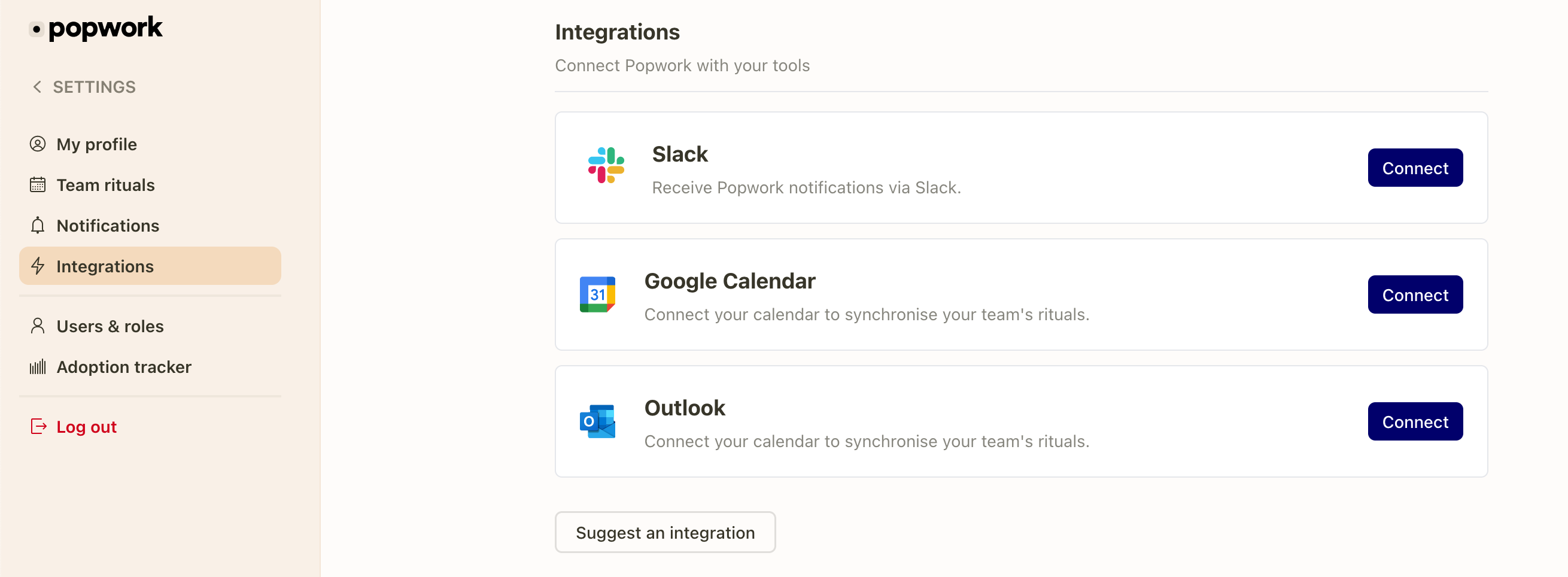
To connect the app for Slack go to Settings > Integrations and click on “Connect”.
2. Edit your notification preferences from your settings
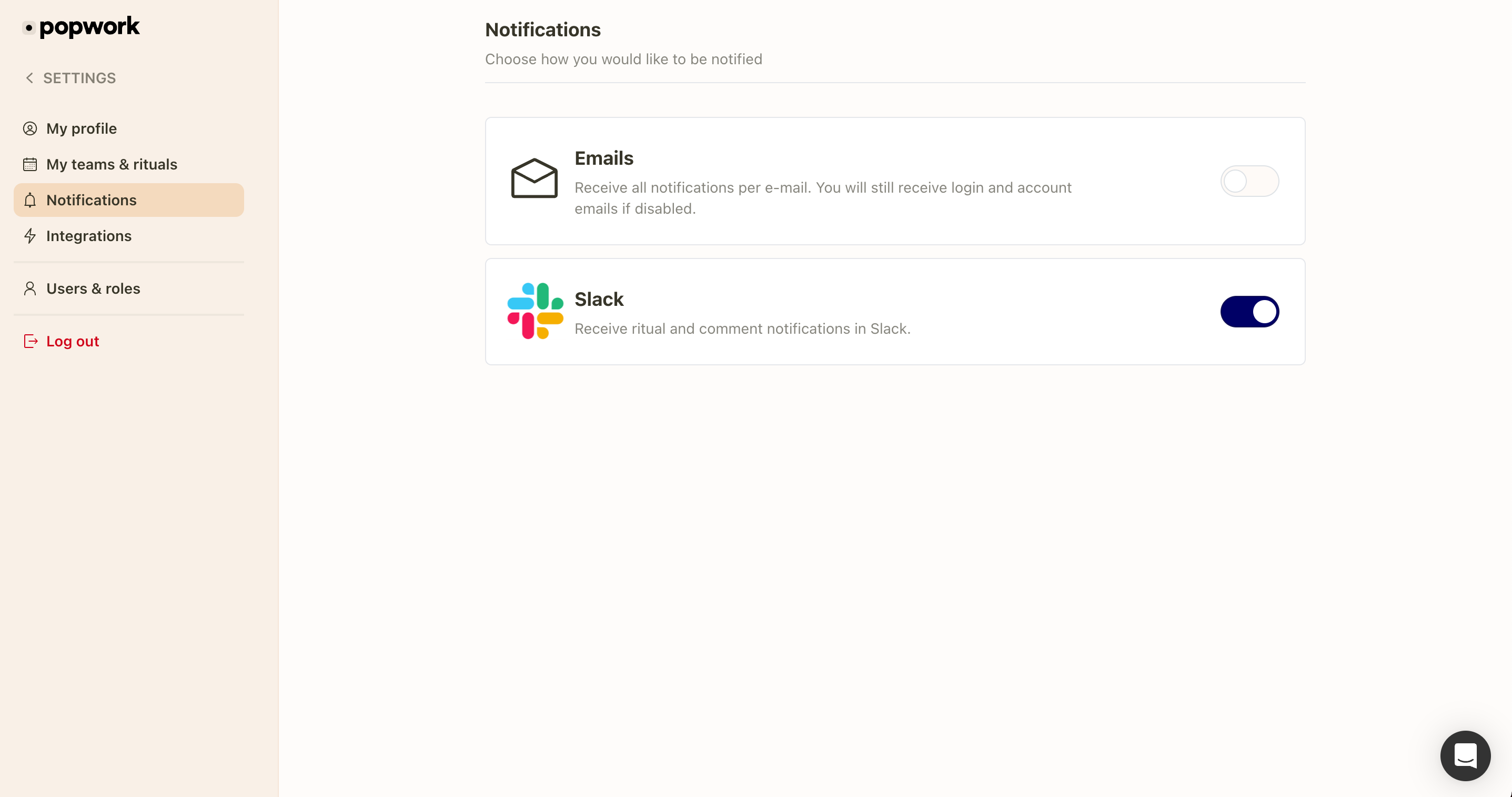
Then go to Settings > Notifications to choose your notifications preferences.
3. Access notifications in Slack
You can access to the notifications from the "Apps" tab in the bottom left-hand side menu on Slack.
Need help?
Let us know in the chat or by email [email protected] if you need any assistance.
Further details on how Popwork manages your data can be found in our privacy policy.
Was this helpful?
Still need help? Ask the team