Reading survey results
Written By Johann Molinari
Last updated 13 days ago
Read and understand survey results
Open Company > Surveys (or My surveys), then click See results on a survey.
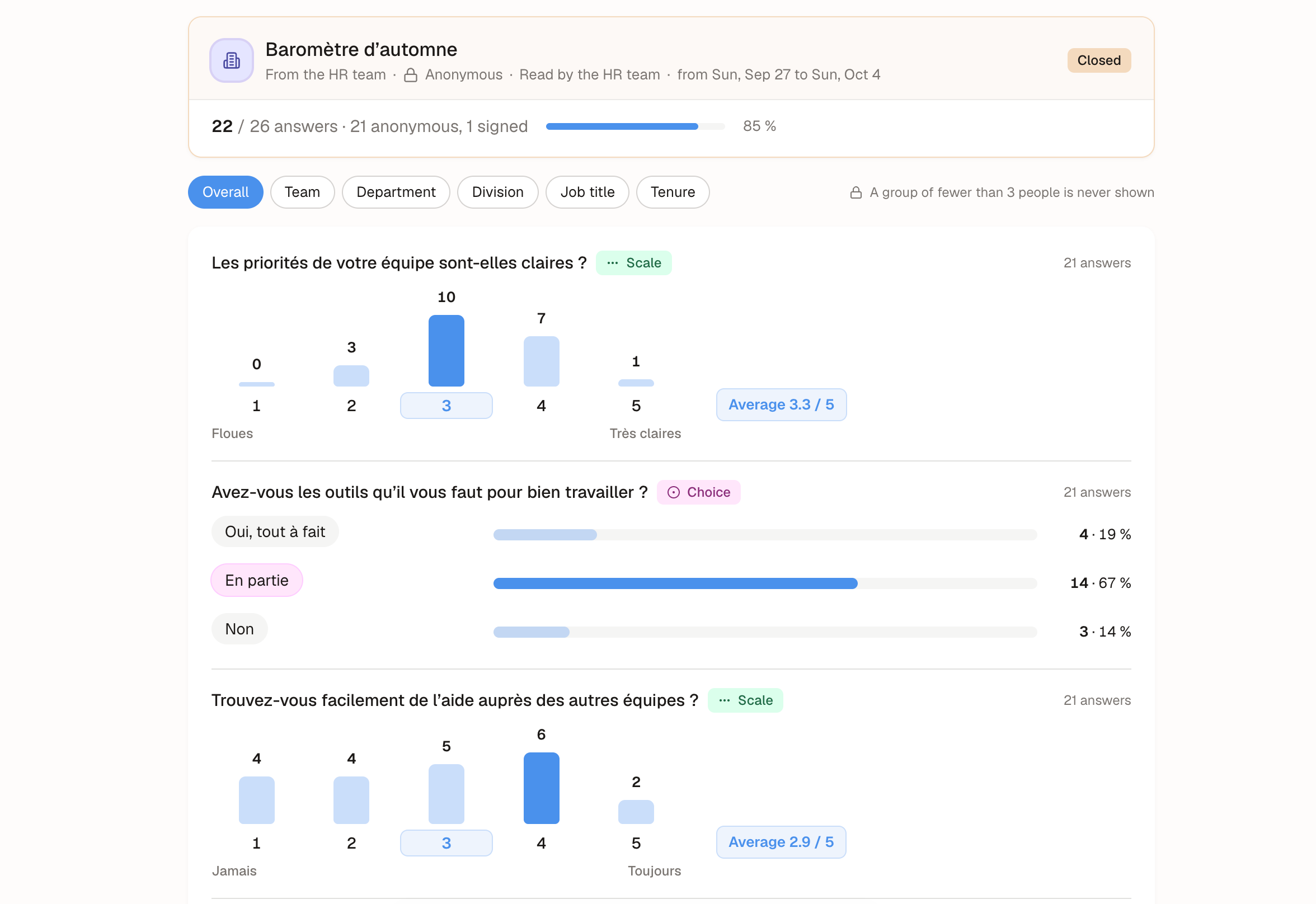
What you see
Survey status, anonymity and who reads the answers
Participation: how many people answered
For each question: the distribution and average of a scale, the count of each choice, or the written answers
For named surveys, a table of answers per person
Break down by group
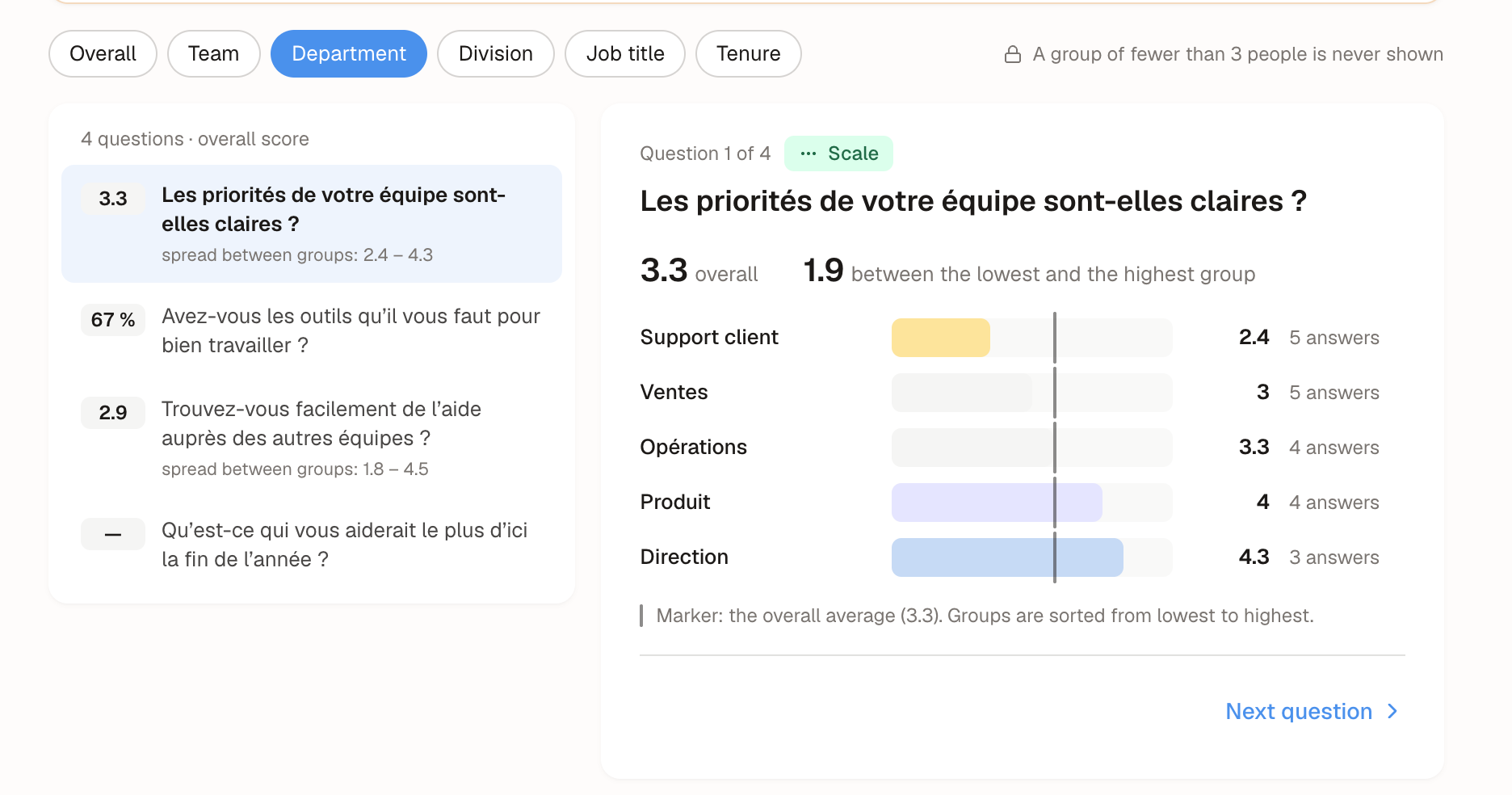
Use Break down by to split results by team, department, division, job title or tenure. These are the same groups as in People Insights.
Anonymity protection
For anonymous surveys:
Nothing is shown until at least 3 people have answered.
A group with fewer than 3 respondents is hidden, with a note saying why. Other small groups may be hidden too, so a hidden group can't be deduced by subtraction.
Written answers are shuffled and never split by group.
What each role can see
Was this helpful?
Still need help? Ask the team